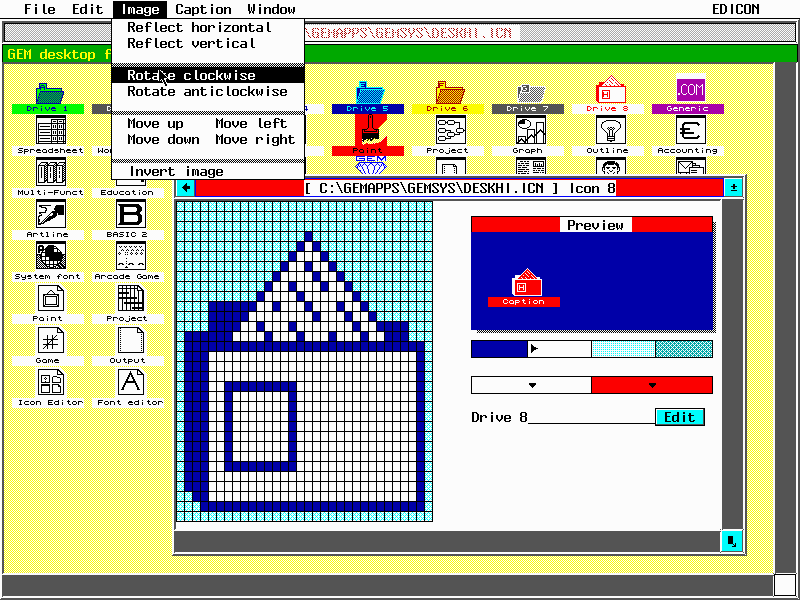
I wasn’t happy with the look of the #GEM desktop right out of the box. It was calling my CD-ROM a network drive, and it was using a hard drive icon for my RAM drive. But GEM is more configurable than Windows, it just takes a little elbow grease. EDICON is the application to tweak system icons, which are found in the DESKHI.ICN file.
First I changed the icon for the folders. I added a checkboard pattern to the folder icon to make it easier to see and less “flat” and made the whole thing cyan and dark blue so folders would stand out. Then I improved the icon for removable drives, by making it look a lot more like a floppy disk.
EDICON allows the icons to be moved around, rotated, flipped, and for drive icons, the drive letter can be positioned anywhere. Multiple windows can be opened with different icon sets, and individual icons and data can be cut and pasted between windows. The number of open windows in EDICON is not limited to four as in the GEM Desktop.
ViewMax icons are stored in the VIEWHI.ICN file, but I found that ViewMax does not display the color in icons properly, so I keep them black and white. GEM only displays disk drives and the trash can on the desk top. Except for floppies and the CD-ROM, my disk drives are displayed with folder icons. Some are RAM virtual drives, and the batch file which launches GEM moves data to and from one of these drives at startup and shutdown, simulating a hard-disk folder.
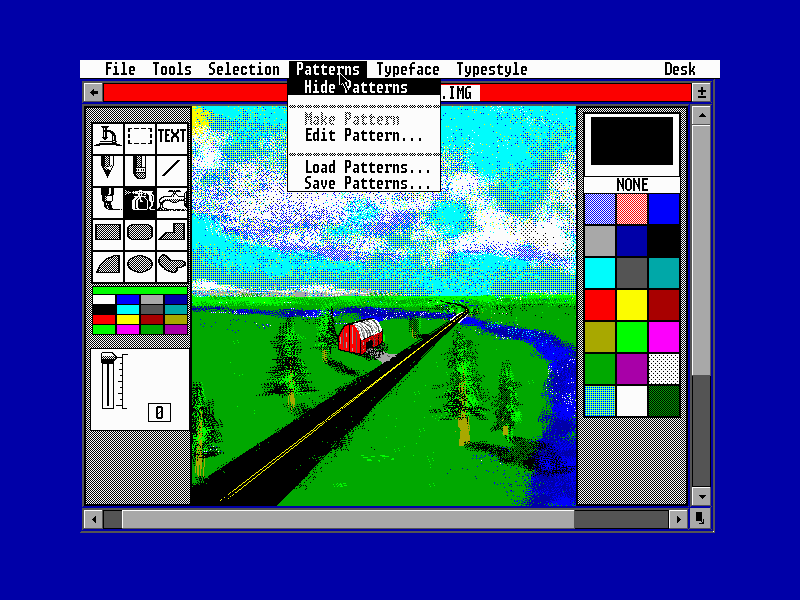
GEM looks too much like Macintosh.. Apple Computers sued Digital Research, forcing them to cripple GEM. That was just enough to shift most of the attention of the developers to Windows 2 and 3, and after that GEM became a boutique GUI found only on Japanese and European computers.
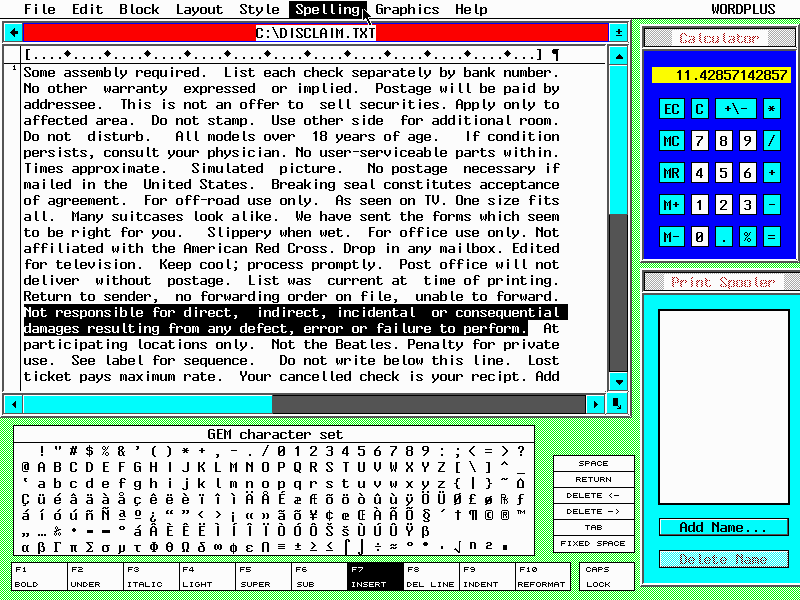
1st Word Plus, originally developed by GST Software in the UK, is probably the flagship application for #GEM. capable of editing up to four documents at once, which is pretty good for DOS. It was originally sold for $99.50.
It has two modes of operation, WP mode, and ASCII mode. In WP mode, it uses special control characters to do word wrap, reformating, hyphenation, and can even insert .IMG and .GEM image files directly inline with the document. What you see is what you get. This is a screenshot of the word processor running witgh the SDV869.VGA screen driver, which gives me an 800 x 600 screen.
The Statistics option gives file length (in words, pages, lines and bytes) as well as current memory availability and disk space. The document windows sit on top of a green desktop with utility windows that can be rearranged. There’s enough room to include a calculator and a list of items to spool to the printer.
1st Word Plus keeps track of numbering footnotes, adding superscript numbers and it tries to keep the footnote on the same page as the reference. Text can be reformatted to create indented paragraphs and right-aligned text, while margins, tab stops, justification, line spacing and character pitch are all controlled with a ruler at the top of the screen. To change formats in the middle of the document, one simply adds a new ruler.
The application can save a file template to disk with all the margin settings, headers, footers, and any text, which can then serve as a basis for generating a new file. 1st Word Plus also has a 40,000 word dictionary that you can load into memory for spell checking. One may create custom dictionaries which can be merged with the main one. Spell checking can be done in real time, or after the document is finished.
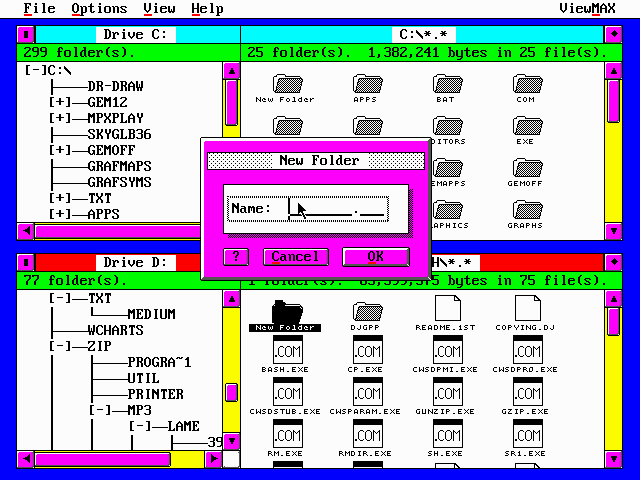
ViewMax is a great GEM-based file manager that looks like a million bucks and has a smaller footprint in low DOS memory than any other file manager I’ve found. It leaves only 15,120 bytes in the precious conventional memory when running another program. If VIEWMAX.APP is launched from GEM, it leaves 18,720 bytes locked up in conventional memory for the GEMVDI. Contrast to GEM itself, which uses that 18,720 bytes plus another 203,056 bytes for the GEM AES, unless the LHGEM utility is used to load some of GEM high, depending on which screen driver is used. LHGEM loads 71,552 bytes high and leaves 131,504 bytes in low memory for GEM.EXE. But ViewMax scoots nearly completely out of the way.
ViewMax uses the same set of icons I have developed for HackyGUI except that color is turned off, because it bleeds outside of the icons and doesn’t display properly.
Running as a #GEM application, ViewMax does not use graphic characters for the tree branches, it uses alphanumerics which look poor. Also, after a DOS application is run, ViewMax reverts to the GEM desktop instead of resuming itself.
I prefer ViewMax over the GEM desktop for file management because it is far more configurable. Each window in ViewMax, for example, can be set to display icons, a tree, or text view. In the GEM desktop there is no tree view, and if you select text view or icons, that will be the state for all of the windows.