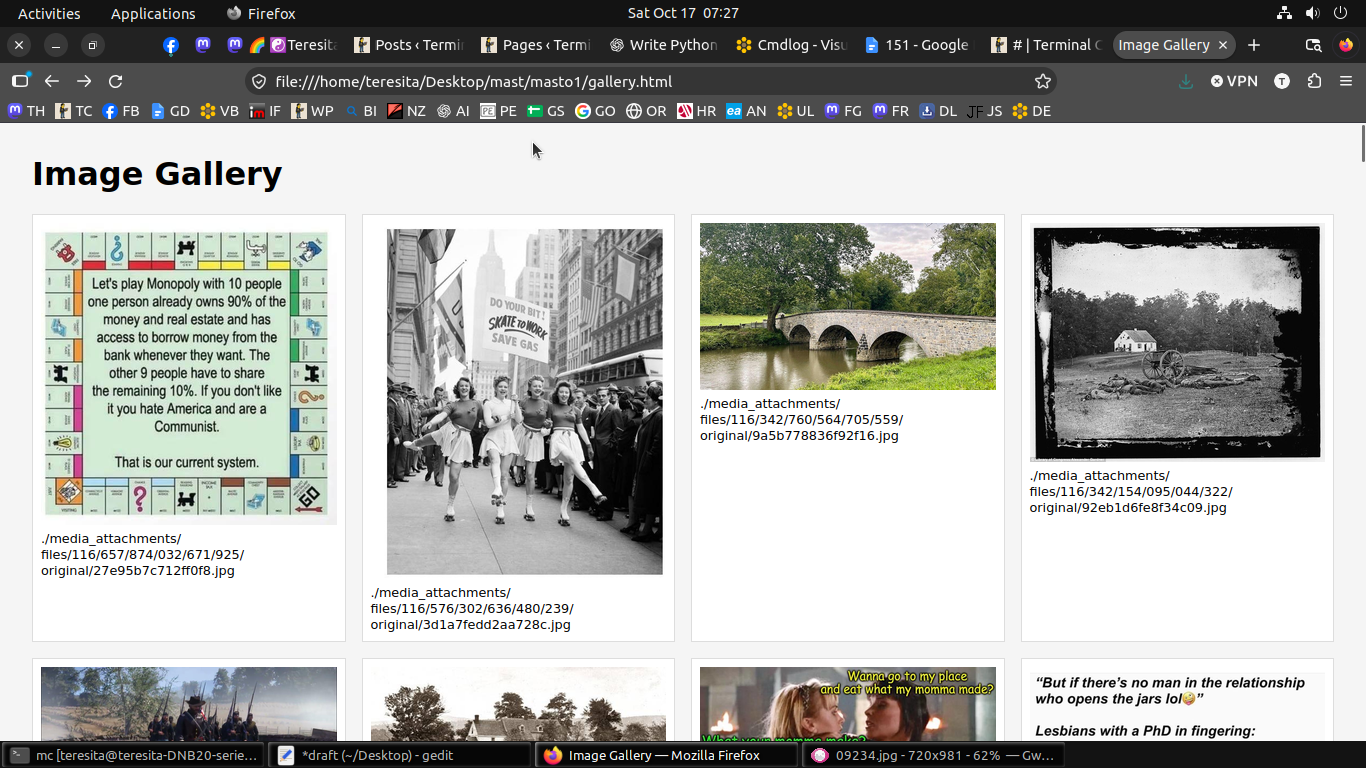
Build an HTML image gallery from local content with #Python
```python
#!/usr/bin/env python3
from html import escape
from pathlib import Path
from urllib.parse import quote

list_file = Path("list")
output_file = Path("gallery.html")

with list_file.open(encoding="utf-8") as f:
    images = [line.strip() for line in f if line.strip()]

with output_file.open("w", encoding="utf-8") as f:
    f.write("""<lt;!DOCTYPE html>gt;
<lt;html lang="en">gt;
<lt;head>gt;
<lt;meta charset="UTF-8">gt;
<lt;meta name="viewport" content="width=device-width, initial-scale=1">gt;
<lt;title>gt;Image Gallery<lt;/title>gt;
<lt;style>gt;
body {
    font-family: sans-serif;
    margin: 2em;
    background: #f5f5f5;
}
.gallery {
    display: grid;
    grid-template-columns: repeat(auto-fill, minmax(250px, 1fr));
    gap: 1em;
}
figure {
    margin: 0;
    padding: 0.5em;
    background: white;
    border: 1px solid #ddd;
}
img {
    display: block;
    width: 100%;
    height: auto;
}
figcaption {
    font-size: 0.8em;
    overflow-wrap: anywhere;
    margin-top: 0.5em;
}
<lt;/style>gt;
<lt;/head>gt;
<lt;body>gt;
<lt;h1>gt;Image Gallery<lt;/h1>gt;
<lt;div class="gallery">gt;
""")

    for image in images:
        url = quote(image, safe="/")
        label = escape(image)

        f.write(f"""<lt;figure>gt;
<lt;a href="{escape(url, quote=True)}">gt;
<lt;img src="{escape(url, quote=True)}" loading="lazy" alt="{label}">gt;
<lt;/a>gt;
<lt;figcaption>gt;{label}<lt;/figcaption>gt;
<lt;/figure>gt;
""")

    f.write("""<lt;/div>gt;
<lt;/body>gt;
<lt;/html>gt;
""")

print(f"Created {output_file} with {len(images)} images.")
```
$ find . -type f -iname ‘*.jpg’ > list ; find . -type f -iname ‘*.jpeg’ >> list; find . -type f -iname ‘*.png’ >> list
$ gallery